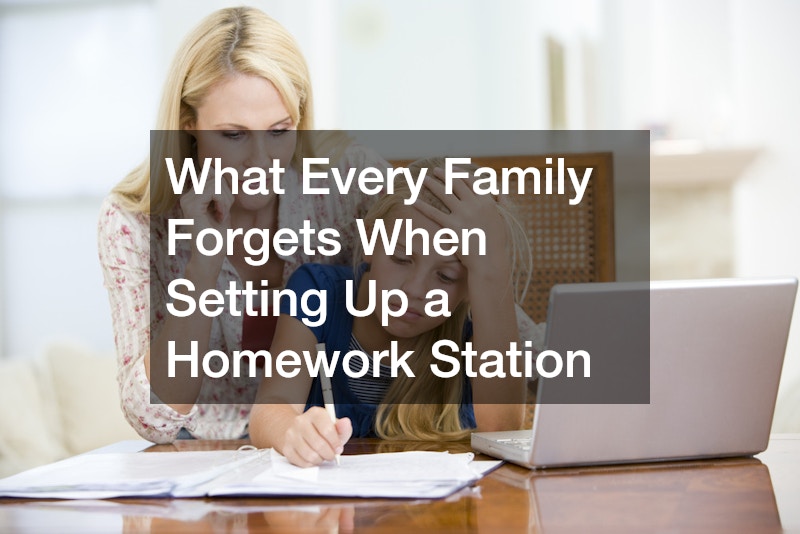
Setting up a homework station feels straightforward — a desk, a chair, good lighting, maybe a shelf for books. Most families get those basics right. What they miss are the quieter details that determine whether the space actually works long-term: the ones that only become obvious after a child refuses to sit there, or after a rushed evening when nothing was where it needed to be. The gap between a functional homework station and one that gets abandoned usually comes down to a handful of overlooked decisions made during setup.
The Ergonomics Problem Nobody Notices Until It’s Too Late
Furniture sizing is the most consequential mistake families make, and it’s rarely caught until a child starts complaining about back pain or slouching through assignments. Most off-the-shelf desks are built for adults. A surface height of 28 to 30 inches — standard for adult workstations — puts a seven-year-old’s arms in an awkward raised position for extended periods, creating strain at the shoulders and neck.
The decision between adjustable furniture and age-specific fixed furniture is worth thinking through carefully. Adjustable desks and chairs cost more upfront — a quality adjustable chair for children typically runs between $80 and $180 — but they grow with the child, often spanning three to five years of use. Fixed, age-appropriate furniture costs less initially but requires replacement sooner. For a child in early elementary school, the adjustable route usually pays off within two replacement cycles.
A practical rule: when a child sits with feet flat on the floor and forearms resting on the desk, elbows should form roughly a 90-degree angle. Most families never check this. They set up the desk where it fits in the room, choose a chair that looks the right size, and move on.
Monitor or screen height matters too, even for children who primarily use tablets. Eye level should be at or slightly below the top of the screen to prevent neck tilt. A simple monitor riser — or even a stack of hardcover books — can correct this without any additional purchase.
Supplies That Belong at the Station but Never Make It There

The second most common setup error is treating the homework station as a writing surface rather than a complete working environment. Children interrupt their own focus far more than parents realize, and the trigger is almost always a missing supply — a calculator left in a backpack, scissors in a kitchen drawer, a pencil that needs sharpening.
The goal is to make interruptions impossible. That means the station needs its own dedicated set of supplies that never migrate to other rooms. At minimum: two or more sharpened pencils, a pencil sharpener (electric saves time), scissors, a ruler, tape, highlighters in at least two colors, index cards, and a small stapler. These aren’t backup supplies — they live at the desk permanently.
Printing capability is where many families run into trouble they didn’t anticipate. Children regularly need to print assignments, reference pages, or completed work, and having to leave the station to find a shared printer disrupts both concentration and time management. If a printer sits near the homework station, maintaining its consumables is part of the station’s upkeep — running low on brother toner mid-assignment is the kind of friction that seems minor until it happens three evenings in a row.
One underused organizational tool is a vertical file holder or small desktop accordion folder. Having a slot for “to do,” “in progress,” and “done” takes less than ten minutes to set up and dramatically reduces the nightly scramble for yesterday’s worksheet.
Lighting, Noise, and the Environmental Factors Families Underestimate

Even a well-equipped station fails if the sensory environment works against focus. Lighting is the most correctable factor. Natural light is ideal but directional: a window positioned to the side of the workspace reduces glare and shadow better than one positioned directly behind or in front. For evening work, overhead lighting alone creates uneven shadows across the work surface.
The practical fix is task lighting — a dedicated desk lamp positioned to illuminate the work surface from the non-dominant side. For a right-handed child, that means light coming from the left. A lamp with adjustable brightness and a color temperature in the 4,000 to 5,000 Kelvin range (marketed as “cool white” or “daylight”) supports alertness and reduces eye strain compared to warm-toned bulbs, which lean toward relaxation.
Noise is more nuanced. Research into environmental distraction consistently finds that unpredictable noise — conversation, television, background music with lyrics — is more disruptive to reading comprehension and problem-solving than steady ambient sound. Families often make the mistake of allowing background TV on the grounds that their child “works better with noise.” What they’re actually observing is the child’s adaptation, not optimal performance.
For families where separation from household activity isn’t possible, low-frequency ambient sound (rain, brown noise, or instrumental music without lyrics) is meaningfully less disruptive than conversational or variable sound. Several free apps offer this specifically for study environments.
Location choice matters more than most families acknowledge. A homework station wedged into a high-traffic hallway will underperform one in a quieter corner, even if everything else is identical.
The Routine Architecture That Makes the Physical Space Work
A well-equipped station still fails without a consistent routine built around it. The physical space sets the conditions; the schedule determines whether those conditions get used.
The clearest indicator that a homework station isn’t working isn’t the furniture or the supplies — it’s when children consistently choose somewhere else to work. That behavior signals either a comfort problem, a focus problem, or a habit that was never properly established.
Building a homework routine means anchoring it to a fixed daily trigger rather than a negotiated start time. The trigger might be immediately after school, after a 20-minute break, or after a specific snack — but it has to be consistent enough that the station becomes the automatic destination, not one option among several.
- Set a specific start window of no more than 30 minutes (for example, 4:00 to 4:30 PM) rather than leaving it open-ended each day.
- Introduce a two-minute “station reset” at the end of each session — supplies returned, papers filed, surface cleared — so the space is ready the next day without effort.
- Post a weekly schedule card at the station listing standing commitments and due dates, updated every Sunday evening.
The station should require zero decision-making once a child sits down. Everything needed is already there, the lighting is already correct, and the expectation is already established.
Before You Call the Space Ready
The difference between a homework station that gets used and one that gets ignored usually shows up in the first two weeks. Run through the physical setup once with your child present — sit in the chair, check the elbow angle, turn on the lamp, reach for a pencil. If anything requires leaving the seat to fix, it’s not ready yet. Treat the station less like a furniture arrangement and more like a system with moving parts, and revisit it each fall as your child grows. Adjustments are normal, expected, and far easier than starting over.